How to book an ambulance on the Namma Ambulance app
Booking an ambulance should be as easy as booking a cab. Here is the exact flow, with real screenshots from the Namma Ambulance app — from opening the app to getting your receipt.
Get the app on Google Play Call +91 87222 51178Step-by-step booking guide
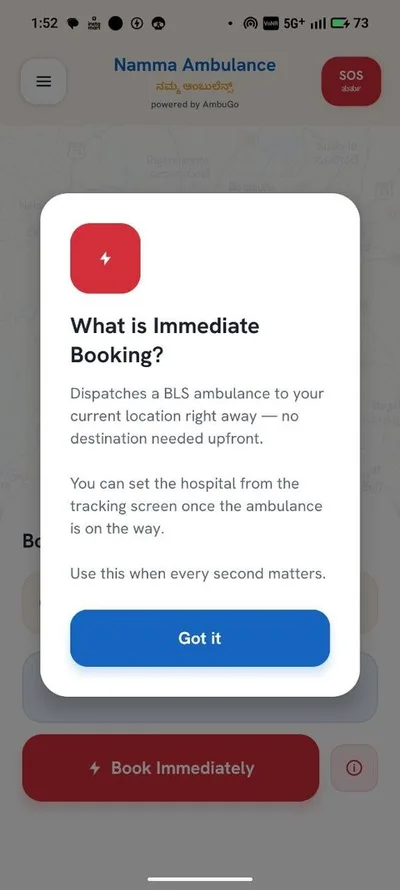
Open the app — One-Tap or Full Booking
Open Namma Ambulance and choose One-Tap SOS for instant dispatch, or Full Booking to pick every detail.
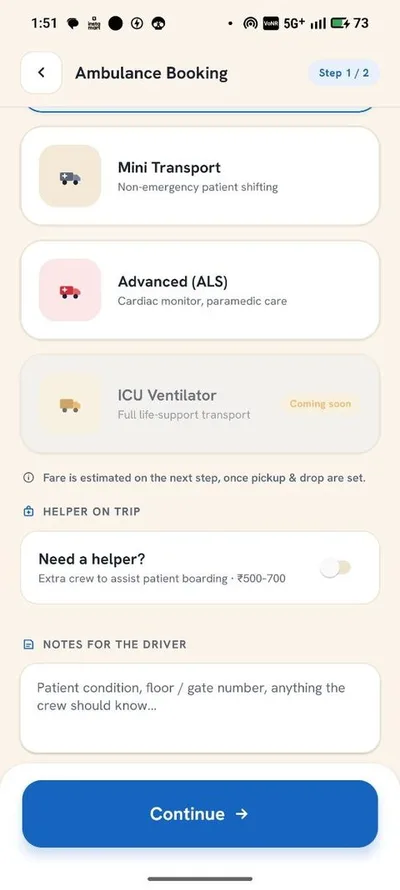
Choose the ambulance type
Pick Mini BLS, BLS, ALS or Ventilator based on the patient's need. Each tier shows what equipment is on board.
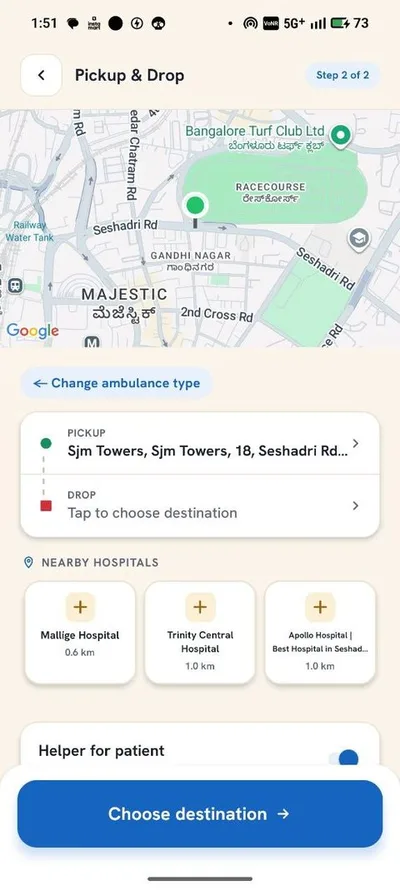
Set pickup and drop location
Set your pickup point and destination hospital on the map — or let the app detect your location automatically.
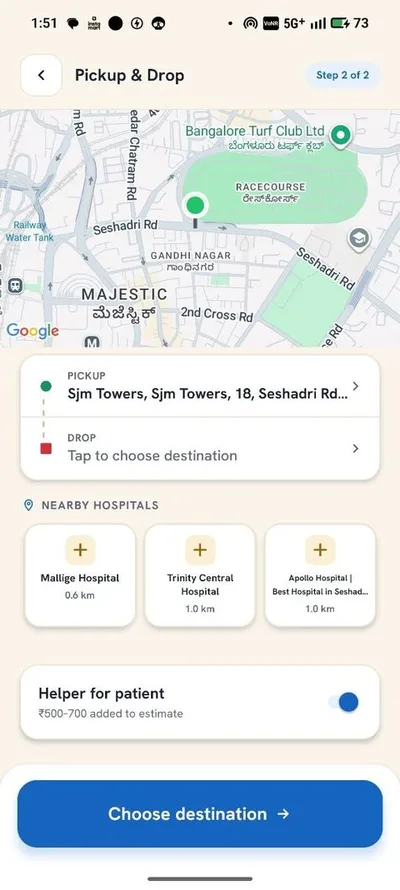
Add a helper if needed
Request an extra trained helper for stretcher support or patient assistance during the trip.
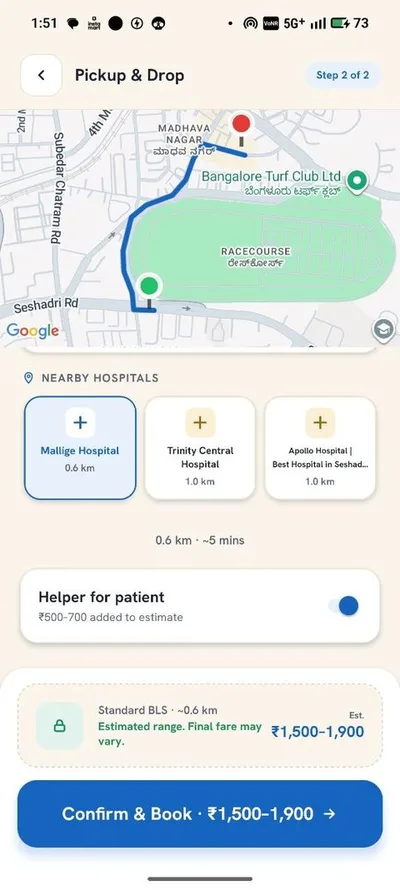
Review the fare and confirm
See the transparent metered fare BEFORE you confirm — no surge, no surprises. Then confirm the booking.
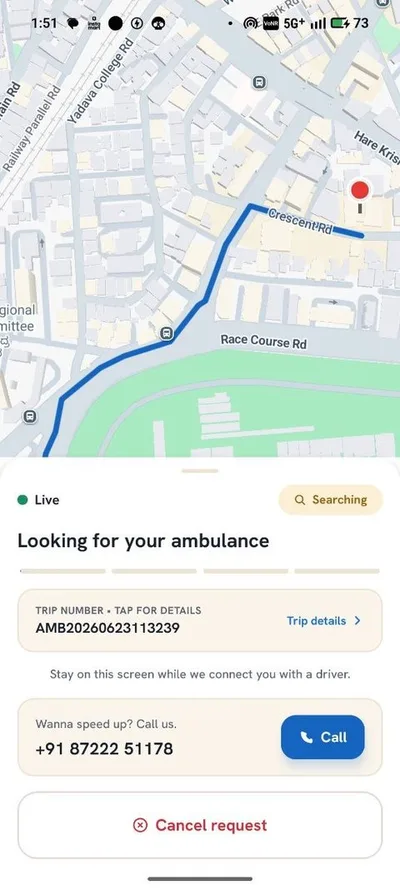
Driver assigned in seconds
The nearest ambulance is assigned in under 90 seconds. You see the driver, vehicle and live ETA immediately.
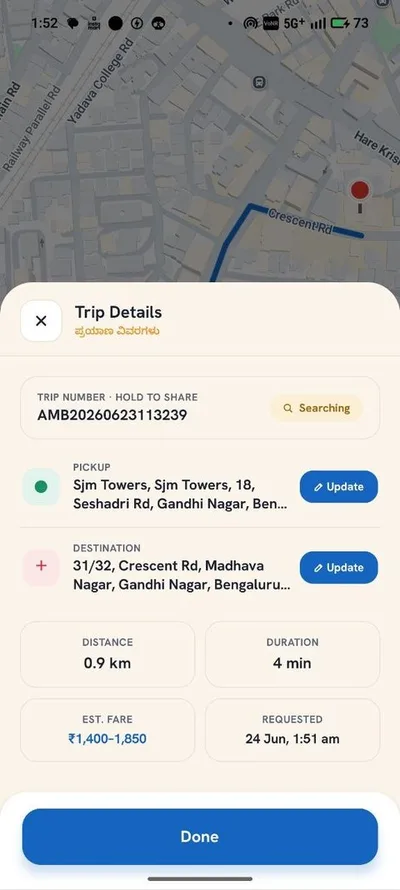
Track the ambulance live
Watch the ambulance approach on the live map, call or chat with the driver, and share the trip with family.
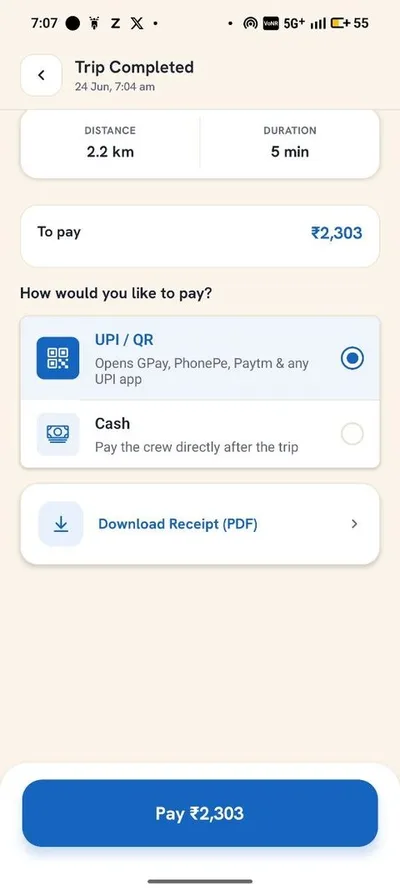
Pay and get your receipt
Pay by UPI or cash after the trip. A digital receipt arrives in minutes — useful for insurance claims.
Also good to know
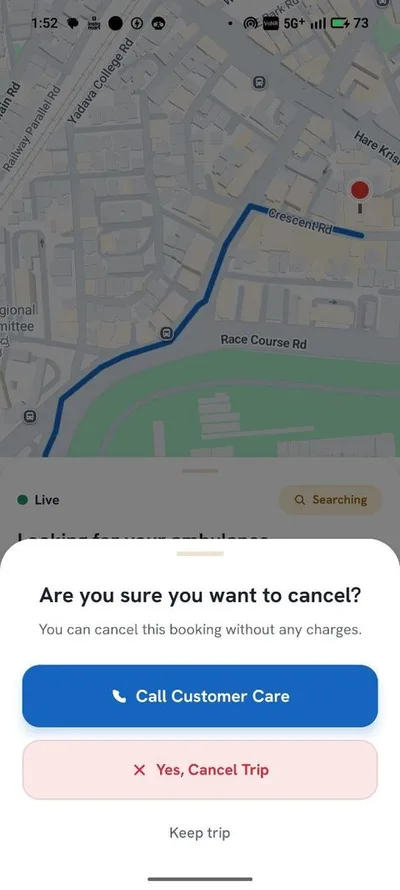
Free cancellation
Cancel before pickup at no charge — emergencies change fast, we understand.
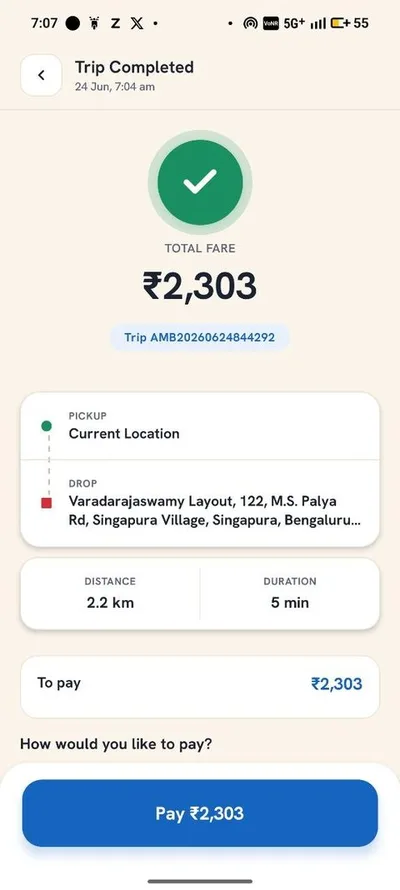
Trip history
Every completed trip is saved with its details in the app.
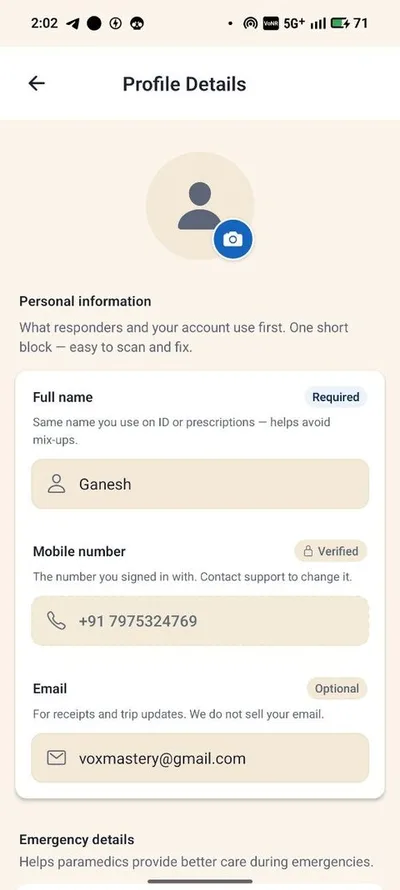
Your profile
Save patient details and favourite hospitals for even faster booking next time.
Frequently asked questions
How fast is an ambulance assigned on the app?
A driver is assigned in under 90 seconds, with live map tracking and driver contact immediately after.
Can I book an ambulance without the app?
Yes — call +91 87222 51178 any time, 24/7. The app adds live tracking, transparent fares and one-tap SOS.
Do I see the price before booking?
Yes. The full metered fare is shown before you confirm — see the fare guide for current rates.
Which areas does the app cover?
All of Bengaluru — see the coverage page for the live service map.